
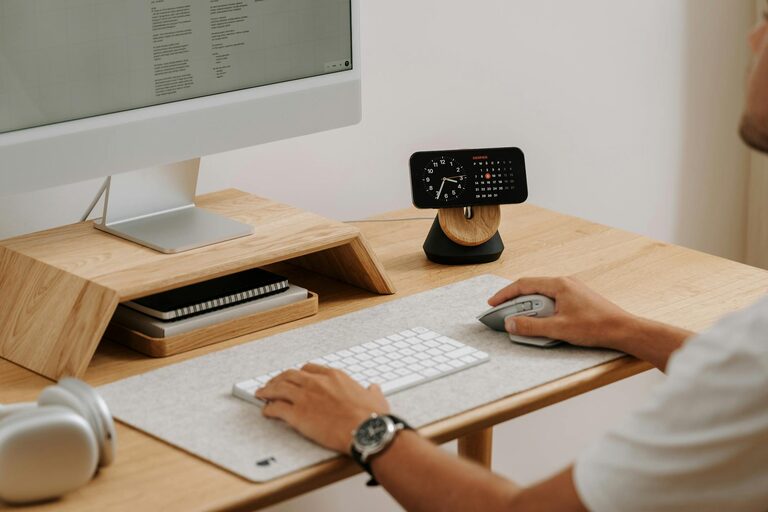
Creating a relaxing home workspace is essential for maintaining focus, reducing stress, and increasing productivity. Whether you work remotely full-time or occasionally manage tasks from home, having a designated area that feels calm and inviting can make a significant difference. In this post, we’ll explore practical steps and ideas to help you design a workspace that supports both comfort and efficiency.
Why a Relaxing Workspace Matters
Your environment impacts how well you work. A cluttered or uncomfortable space can lead to distractions, fatigue, and decreased motivation. In contrast, a thoughtfully arranged and soothing workspace can help calm your mind, improve concentration, and make work feel less like a chore.
Tips for Designing a Relaxing Home Workspace
1. Choose the Right Location
Pick a quiet spot in your home where you can minimize interruptions. If possible, select a space with natural light and fresh air. Natural light not only brightens the room but also positively affects mood and energy.
2. Invest in Comfortable Furniture
Comfort is key to a relaxing workspace. Choose an ergonomic chair that supports your back and encourages good posture. A sturdy desk at the right height helps prevent strain on your wrists and shoulders.
3. Keep It Organized
Clutter can quickly overwhelm your space and mind. Use storage solutions such as shelves, drawers, or baskets to keep supplies neat and out of sight. A clean workspace helps you stay focused and reduces stress.
4. Personalize With Calming Elements
Add personal touches that make your workspace inviting without distraction. Plants are a great choice—they freshen the air and introduce a bit of nature. Soft lighting, like a small desk lamp or string lights, can create a warm ambiance.
5. Minimize Noise Distractions
If you can’t control external noise easily, consider noise-canceling headphones or gentle background music like instrumental playlists. White noise machines can also help mask distracting sounds.
6. Manage Cables and Tech Neatly
Keep cords and gadgets organized to avoid visual chaos. Cable organizers, clips, or wireless devices can help maintain a tidy setup.
7. Incorporate Movement Breaks
While not directly about the space itself, planning areas for short breaks—like a nearby comfy chair or a stretch corner—can encourage movement and refreshment throughout the day.
Step-by-Step Workspace Setup
Step 1: Clear Your Space
Start by removing unnecessary items from the chosen area. Only keep items related to your work to avoid distractions.
Step 2: Arrange Furniture
Place your desk near a window if possible. Position your chair so that your computer screen is at eye level and you’re sitting comfortably.
Step 3: Organize Supplies
Sort office supplies into containers or holders. Keep frequently used items within reach and less common ones in drawers or shelves.
Step 4: Add Lighting
Set up your main lamp and supplement with natural light or additional lighting options to avoid eye strain.
Step 5: Decorate Thoughtfully
Add a few plants, photos, or art pieces that inspire you. Avoid overcrowding walls or surfaces to maintain a calm vibe.
Maintaining Your Relaxing Workspace
Consistency is vital. Spend a few minutes each day tidying up and resetting your space. Regularly assess your setup—if something isn’t working or feels stressful, adjust accordingly.
—
Creating a relaxing home workspace doesn’t require a big budget or a lot of time. By focusing on comfort, organization, and a calming atmosphere, you can transform any corner of your home into a productive sanctuary. Enjoy the benefits of working in a space designed for both relaxation and focus!
Feel free to share your workspace setup tips in the comments below!