
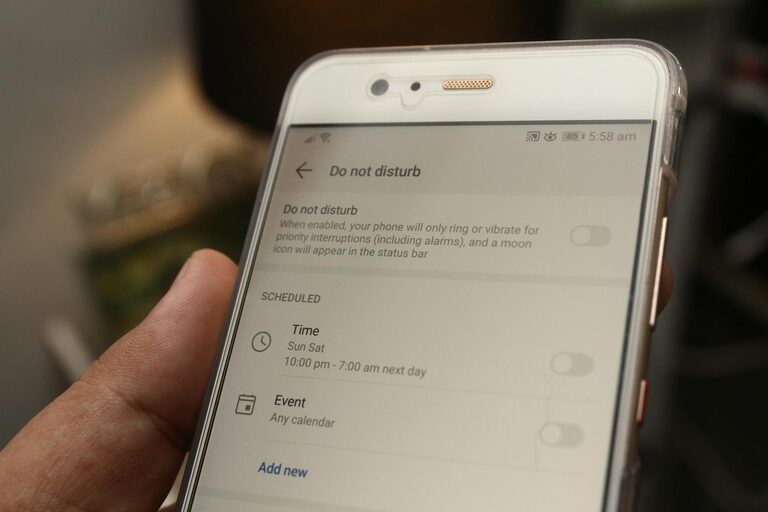
In today’s digital world, notifications are everywhere—from smartphones to laptops, smartwatches, and other connected devices. While notifications can help us stay informed and connected, they often interrupt our daily tasks, reduce focus, and increase stress. Setting boundaries with notifications is essential to maintain productivity and protect your mental well-being.
In this post, we’ll explore practical tips and strategies to help you take control of your notifications and create healthier digital habits.
Why Setting Boundaries with Notifications Matters
Notifications are designed to grab our attention, sometimes even triggering a dopamine response that encourages frequent checking. However, constant alerts can lead to:
– Difficulty concentrating
– Reduced productivity
– Increased feelings of stress or overwhelm
– Disrupted sleep patterns
By setting clear boundaries, you can decide which notifications deserve your attention and when to disconnect, helping you stay focused and relaxed.
How to Set Boundaries with Notifications
1. Audit Your Notifications
Start by reviewing all the apps and devices that send you notifications. Ask yourself:
– Which notifications are truly important?
– Which alerts are unnecessary or distracting?
Make a list and decide which notifications to keep, mute, or disable entirely.
2. Customize Notification Settings
Rather than shutting off all notifications, customize their settings to suit your needs. Most devices and apps allow you to:
– Choose which types of notifications to allow (e.g., only messages, not promotions)
– Set priority levels (e.g., important vs. less urgent)
– Enable “Do Not Disturb” modes during specific hours
Tailoring your settings reduces interruptions without completely disconnecting you.
3. Schedule Notification-Free Time
Set aside blocks of time during your day when you don’t receive any notifications. This might include:
– Focused work periods
– Mealtimes or social gatherings
– Nighttime for better sleep quality
Use “Do Not Disturb” or silent modes on your devices during these times to minimize distractions.
4. Use Notification Summary Features
Some devices offer daily or scheduled notification summaries. These collect non-urgent notifications and deliver them at set times instead of immediately. Using this feature can:
– Help you stay organized
– Prevent constant interruptions
– Allow you to respond when you’re ready
Check if your device or apps support this option and activate it where possible.
5. Limit Notifications on Multiple Devices
If you use several devices that all receive the same alerts, you may get overwhelmed with duplicate notifications. To avoid this:
– Decide which device should show which notifications
– Turn off notifications on less important or secondary devices
– Sync your notification settings across platforms if available
This reduces noise and keeps you focused.
6. Manage Email Notifications Thoughtfully
Email is often a major source of notification overload. To set boundaries:
– Unsubscribe from unnecessary mailing lists
– Create filters or folders to prioritize important emails
– Disable automatic push notifications for emails and check inboxes on your own schedule
This prevents frequent email alerts from disrupting your day.
7. Practice Digital Mindfulness
Be mindful about how you respond to notifications. Some helpful habits include:
– Checking notifications at set times instead of immediately
– Turning off vibration or sound alerts unless essential
– Taking breaks from screens regularly
Mindfulness creates awareness around your digital habits and reduces compulsive checking.
Conclusion
Taking control of your notifications is a powerful way to improve focus, reduce stress, and regain your time. By auditing your incoming alerts, customizing your settings, and creating dedicated notification-free periods, you establish healthy boundaries that support your well-being.
Start small by adjusting a few key settings today and notice the positive impact on your daily life. Remember, technology is a tool meant to serve you—it shouldn’t run your day.
Feel free to share your own tips or experiences with notification management in the comments below!